

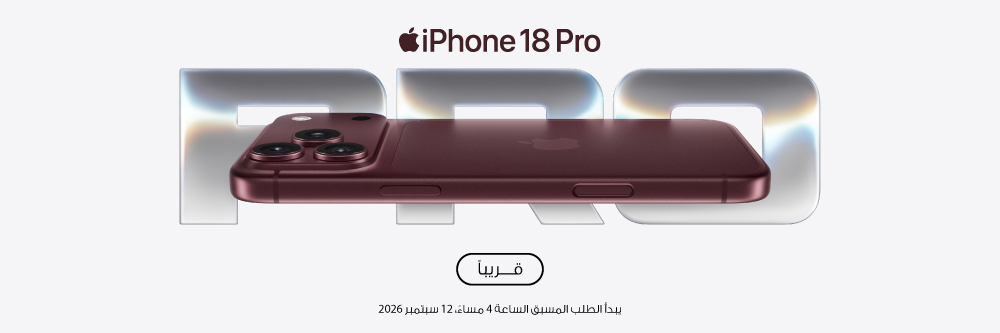
الطلب المسبق يبدأ يوم 12 سبتمبر2026 الساعة 4:00 مساءً
00
أيام
:
00
ساعات
:
00
دقائق
:
00
ثواني
Pre-order is now open.
الطلب المسبق يبدأ يوم 12 سبتمبر2026 الساعة 4:00 مساءً
Choosing between iPhone 18 Pro and iPhone 18 Pro Max starts with size and battery life. Both feature A20 Pro and three 48MP rear cameras, including a Main camera with variable aperture. The Pro offers the smaller body, while Pro Max provides a larger display and higher battery ratings.
This Sharaf DG guide explains the specifications, what the features could mean in daily use and how the models compare with earlier Pro generations. You can also explore how AirPods 5 and the latest Apple Watch models fit into the same routine.
The comparisons use Apple's published specifications. Practical examples are suggested uses, rather than hands-on test results.
On smaller screens, scroll across to see the full table.
| Specification | iPhone 18 Pro | iPhone 18 Pro Max |
|---|---|---|
| Display | 6.3-inch OLED | 6.9-inch OLED |
| Resolution | 2622 x 1206 | 2868 x 1320 |
| Pixel density | 460 ppi | 460 ppi |
| Height x width x depth | 150 x 71.9 x 8.75mm | 163.4 x 78 x 8.75mm |
| Weight | 211g | 249g |
| Typical-use rating | Up to 24 hours | Up to 30 hours |
| Video playback | Up to 36 hours | Up to 45 hours |
| Streamed video playback | Up to 33 hours | Up to 40 hours |
| Storage options | 256GB, 512GB, 1TB, 2TB | 256GB, 512GB, 1TB, 2TB |
Display sizes are diagonal measurements, with a smaller actual viewable area. Battery figures are Apple's published ratings; results vary with use, settings, network and conditions. Apple UAE specifications
The Pro is 38g lighter and 6.1mm narrower, calculated from Apple's measurements. It is the option to consider if you often carry your phone in a pocket or prefer a smaller device for everyday use.
You get the shared processor and rear camera features without choosing the larger body. Comfort remains personal, so dimensions are a useful comparison rather than a guarantee of how the phone will feel.
Pro Max gives you more screen space for reading, reviewing photos and watching videos. Its higher battery ratings may also matter if you spend long periods away from a charger.
The trade-off is its larger size and additional weight. You do not need Pro Max for the shared rear camera system, so make the choice around how you want to carry and use the phone.
| Feature | Both models |
|---|---|
| Processor | A20 Pro |
| CPU | 6-core, with two super cores and four efficiency cores |
| GPU | 7-core with Neural Accelerators |
| Neural Engine | Dual 16-core |
| Display | Super Retina XDR |
| Refresh rate | ProMotion, adaptive up to 120Hz |
| Outdoor peak brightness | Up to 3,000 nits |
| Display features | Always-On, Dynamic Island, True Tone, HDR |
| Construction | Aluminum unibody |
| Protection | Ceramic Shield 2 front; Ceramic Shield back |
| Colours | Black, Silver, Glacier, Burgundy |
| Wireless | 5G, Wi-Fi 7, Bluetooth 6 |
| Connector | USB-C with DisplayPort and USB 3 up to 10Gb/s |
| Authentication | Face ID |
| Software | iOS 27 |
| UAE SIM configuration | Dual eSIM; no physical SIM tray |
Wireless capabilities depend on compatible services, equipment and regional support. Apple UAE technical specifications
The Main camera can change the size of the opening that admits light. Its four aperture settings let you balance light gathering with depth of field, which describes how much of the scene appears in focus.
On smaller screens, scroll across to see the full table.
| Aperture | What it prioritises | A situation to explore |
|---|---|---|
| f/1.48 | More light | Indoor scenes with limited lighting |
| f/1.8 | A balance of light and depth | General everyday photography |
| f/2.8 | Greater depth of field | Subjects at different distances |
| f/4.0 | The greatest depth among these settings | Scenes where foreground and background detail matter |
The camera can adjust automatically. Pro controls also let you change aperture, shutter speed and white balance yourself. Apple camera overview
For a group photo, depth of field may matter because people are standing in several rows. For an indoor portrait, gathering more light may be the priority.
A narrower aperture admits less light, so it is not automatically the better setting. Focus, subject movement and lighting still influence the result.
On smaller screens, scroll across to see the full table.
| Camera | Published specification | Practical starting point |
|---|---|---|
| Main | 48MP, 24mm, variable aperture | Everyday scenes and people |
| Ultra Wide | 48MP, 13mm, f/2.2 | Wider scenes and close-up macro subjects |
| Telephoto | 48MP, 100mm, f/2.8 | Tighter framing from farther away |
Try Ultra Wide when you want to fit more of a room or landscape into the frame. For a distant detail, start with the telephoto options rather than immediately pushing digital zoom to its maximum.
These are ways to explore the cameras, not guarantees that a particular lens will produce the best result in every situation. Apple camera specifications
No. Apple lists a 48MP telephoto camera at 100mm, equivalent to 4x, and a 200mm, 8x optical-quality option producing 12MP images. Digital zoom extends to 40x.
The 8x option is not a separate 8x lens. The 40x digital setting also should not be confused with Apple's optical-quality zoom description. Apple zoom specifications
The 18MP Center Stage camera supports framing for photos and video calls. Dual Capture lets you record with the front and rear cameras together.
You could use this to show a scene and your reaction in the same recording. For selfies, the framing controls give you more ways to compose the image. Photographic Styles 3 also provides texture and grain adjustments. Apple camera features
ProRAW is worth considering when you intend to edit exposure, colour and white balance carefully afterwards. It retains more information for editing but produces larger files than ordinary photo formats.
For quick sharing, standard capture may be more convenient. Use ProRAW for photographs where the additional editing flexibility serves a purpose. Apple ProRAW guidance
The published recording options include 4K Dolby Vision up to 120fps on the Main camera, Cinematic mode up to 4K Dolby Vision at 60fps, and ProRes up to 4K at 120fps with external recording. Apple video specifications
Start with how you plan to use the footage. A short video sent to family has different requirements from a project you intend to crop, colour-grade or slow down.
You do not need the highest frame rate or a professional recording format for every clip. Choose settings that work with your storage, editing tools and sharing habits.
Higher-frame-rate recording gives you more frames to work with when slowing footage in an editor. It can be useful for a dance movement, sporting action or a pet running.
More frames do not automatically make a better video. Lighting, shutter speed, stability and editing choices still matter.
ProRes, Apple Log 2 and ProRes RAW are relevant when your recording and editing workflow supports them. Before planning a shoot, check the app, external storage, cable and editing software.
A drive having a USB-C connector does not establish that it meets the required recording performance. Apple's ProRes guidance explains how recording options depend on supported equipment and storage. Apple ProRes guidance
Apple reports up to 40% faster graphics performance than A19 Pro. The revised cooling system has three times the vapor-chamber surface area of the previous generation, with a claimed improvement in sustained performance. These are manufacturer claims, not independent test results. Apple UAE announcement
Sustained performance concerns how a device handles a workload over time. It is relevant to longer gaming sessions, repeated editing tasks and demanding on-device processing.
It does not mean every game or app will run 40% faster. Software, settings, temperature and workload affect the outcome.
For messaging, documents and browsing, screen size and storage may be more meaningful choices than a benchmark percentage.
Someone reviewing notes may prefer the larger display. Someone carrying a phone between meetings may prioritise the smaller body. Neither use automatically calls for the highest storage capacity.
Apple lists Apple Intelligence and Siri AI, but availability depends on the feature, supported language and region.
Arabic interface support should not be treated as confirmation that every AI feature supports Arabic. Check the requirements for the particular task you want to perform. Apple UAE software announcement
No. Video playback and mixed use are different measurements.
Apple's typical-use model combines passive and active use across activities such as messaging, music, browsing, navigation and games. Battery life still depends on settings, network conditions and individual use. Apple battery testing notes
Use the ratings to compare models under the stated tests. They are not a promise that your phone will last a specific number of working days.
Published comparisons do not account for the condition of your existing phone.
If battery life is your main concern, consider battery health separately from new camera or processor features. An ageing battery and a missing capability are different reasons to make a change.
A compatible USB-C adapter can still charge the phone. You do not need to replace it simply because a faster charging option exists. Apple supports charging with standards-compliant USB-C equipment. Apple USB-C guidance
Apple specifies up to 50% charge in around 15 minutes with a compatible 60W-capable or higher AVS adapter and suitable USB-C cable. Its launch notes specify USB PD 3.1 or better with Adjustable Voltage Supply.
That is an equipment requirement, not a claim that the phone continuously draws 60W. Charging time varies with settings, use and environmental conditions. Apple charging notes
Wired charging is useful when you want to use the relevant fast-charge capability. Wireless charging can be convenient for a desk or bedside routine.
Both models support MagSafe and Qi2 at up to 25W. Check the complete combination of adapter, charger and cable rather than relying on the wattage printed on a single accessory. Apple charging specifications
On smaller screens, scroll across to see the full table.
| Feature | iPhone 15 Pro | iPhone 16 Pro | iPhone 17 Pro | iPhone 18 Pro |
|---|---|---|---|---|
| Chip | A17 Pro | A18 Pro | A19 Pro | A20 Pro |
| Display | 6.1 inches | 6.3 inches | 6.3 inches | 6.3 inches |
| Main camera | 48MP | 48MP | 48MP | 48MP, variable aperture |
| Ultra Wide | 12MP | 48MP | 48MP | 48MP |
| Telephoto sensor | 12MP | 12MP | 48MP | 48MP |
| Front camera | 12MP | 12MP | 18MP Center Stage | 18MP Center Stage |
| Video playback | Up to 23 hours | Up to 27 hours | Up to 33 hours | Up to 36 hours |
Sources: iPhone 15 Pro, iPhone 16 Pro, iPhone 17 Pro, Apple UAE comparison.
On smaller screens, scroll across to see the full table.
| Feature | iPhone 15 Pro Max | iPhone 16 Pro Max | iPhone 17 Pro Max | iPhone 18 Pro Max |
|---|---|---|---|---|
| Display | 6.7 inches | 6.9 inches | 6.9 inches | 6.9 inches |
| Chip | A17 Pro | A18 Pro | A19 Pro | A20 Pro |
| Variable-aperture Main camera | No | No | No | Yes |
| Video playback | Up to 29 hours | Up to 33 hours | Up to 39 hours | Up to 45 hours |
Differences between published battery maximums are not guaranteed additional runtime in your routine. Apple UAE comparison
Variable aperture is the clearest camera distinction. Three 48MP rear cameras and the 18MP Center Stage front camera are already present on the 17 Pro generation.
Consider whether the added camera control and higher battery ratings address something you want to improve. If those changes do not matter to you, keeping a working 17 Pro remains a reasonable choice.
The comparison includes a newer processor, a higher-resolution telephoto sensor and the Center Stage front camera, alongside variable aperture.
The 16 Pro already has a 48MP Ultra Wide camera, Camera Control and USB-C. Those features should not be mistaken for new additions when upgrading from that model. iPhone 16 Pro specifications
The differences span more areas: display size, Ultra Wide and Telephoto resolution, front-camera features and battery ratings.
Consider the physical change too. Apple lists the 15 Pro at 187g, compared with 211g for the 18 Pro. Added capability can come with a larger or heavier phone to carry. iPhone 15 Pro specifications
On your current iPhone, open Settings, then General, then iPhone Storage. Check the total used and which apps or media take the most space. Apple storage guidance
Before choosing, consider whether you:
| Capacity | Consider it when |
|---|---|
| 256GB | Your usage is comfortably below this level and you manage downloads regularly |
| 512GB | You want more room for a growing media library and offline content |
| 1TB | You keep large local collections or regularly work with substantial video files |
| 2TB | Keeping extensive files on the phone is a deliberate part of your workflow |
These are selection guidelines, not storage guarantees. Available space is less than the stated capacity.
With iCloud Photos and storage optimisation, full-resolution originals can remain in iCloud while smaller versions are kept on the device. That can reduce local photo storage, but cloud capacity and phone capacity remain separate. Apple photo-storage guidance
On smaller screens, scroll across to see the full table.
| Situation | Feature to explore | A useful approach |
|---|---|---|
| Photographing a family gathering | Variable aperture and focus controls | Consider whether people are standing on the same plane or in several rows |
| Recording a travel diary | Front camera and Dual Capture | Choose moments that benefit from showing the scene and your reaction |
| Photographing a small object | Macro capability | Start with steady framing and suitable lighting |
| Creating a product video | Manual controls and supported production formats | Plan lighting, audio, storage and editing before choosing a recording mode |
| Reviewing work or study material | Larger Pro Max display | Weigh the extra screen space against the size you will carry |
| Carrying a phone throughout the day | Smaller Pro body | Compare dimensions and weight alongside the feature list |
These are suggested applications of the features, rather than promises of tested results.
Your phone, earphones and watch can serve different parts of the same routine. Listen to a podcast, record a workout from your wrist or review information on the iPhone's larger screen.
Choose the combination around what you do regularly.
Pair iPhone 18 Pro with AirPods 5 for wireless listening and calls. Apple lists Active Noise Cancellation, Transparency and Voice Isolation among their features.
Noise cancellation can help reduce surrounding sound while listening. Transparency is an option when you want to hear your surroundings. The controls also let you manage playback and answer calls without reaching for the phone.
AirPods 5 support a camera remote control with compatible software, giving you another option when positioning the iPhone for a photo or recording.
Check the version you are comparing. Apple lists USB-C and Wireless Charging Case options, with differences in charging and controls. Apple AirPods 5 specifications
Consider Apple Watch Series 12 if you want activity and workout tracking alongside iPhone 18 Pro.
Start with activities you already do, such as walking, running or cycling. Use the watch during the activity, then review your routine through the connected Apple apps.
Compare case sizes and band measurements, especially if you intend to wear it throughout the day or while sleeping. Fit matters alongside the features. Apple Watch Series 12 specifications
Explore Apple Watch Ultra 4 if outdoor activities and training are central to how you would use a watch.
Apple lists a customisable Action button, Compass, waypoints and Backtrack, alongside detailed running and cycling features. For cycling, supported workout information can appear as a Live Activity on your iPhone.
For hiking, explore the navigation tools and their requirements before relying on them on an unfamiliar route. Ultra 4 has a 49mm case, so consider its size on your wrist as well as its capabilities. Apple Watch Ultra 4 specifications
On smaller screens, scroll across to see the full table.
| Your priority | Device to explore | What to compare |
|---|---|---|
| Music, podcasts and calls | AirPods 5 | Listening modes, fit and charging-case version |
| Everyday activity and regular workouts | Apple Watch Series 12 | Case size, band fit and the features you will use |
| Outdoor activities and detailed training | Apple Watch Ultra 4 | Navigation tools, workout features and case size |
Apple Watch Series 12 and Apple Watch Ultra 4 require a compatible iPhone running iOS 27 or later. The iPhone 18 Pro models meet that requirement. Series 12 compatibility, Ultra 4 compatibility.
For AirPods 5, Apple recommends the latest iOS version for full functionality. Some features depend on software, settings and regional availability. AirPods requirements
You do not need to replace every device together. Check the compatibility of what you already own and add devices around a specific need.
No. The UAE models use eSIM. If your current number uses a physical SIM, arrange a supported transfer or conversion rather than expecting to move the card across.
Apple specifies two active eSIMs and storage for eight or more eSIMs. Compatible plans and activation arrangements are required. Apple UAE SIM specifications
Apple's Move to iOS process supports transferring items including contacts, photos, videos and WhatsApp messages and media. Plan the transfer during initial setup and follow the current instructions.
Do not assume every app and its data will transfer automatically. Keep the old phone and a backup until you have checked the transferred content. Apple Android transfer guide
Choose a case explicitly listed for the exact model. A similar screen size does not establish compatibility with the body, camera surround or controls.
Apple lists the iPhone and a 1m USB-C charging cable. A power adapter is not included. Apple box contents
The models have an IP68 rating, tested to a maximum depth of 6 metres for up to 30 minutes under IEC 60529. That controlled test is not an unrestricted waterproof guarantee. Apple resistance specification
Both models have the same published Main, Ultra Wide and Telephoto camera specifications. Choose between them primarily around screen size, weight and battery ratings, rather than assuming Pro Max adds a different rear camera system. Apple model comparison
Start with the size you want to carry, then choose storage around your actual usage. Consider iPhone 18 Pro for the smaller body. Consider Pro Max when the larger display and higher battery ratings matter enough to accept the additional size and weight.