

Logitech
Logitech Spotlight Presentation Remote Gold 910004862
Inclusive of VAT
- Warranty One Year
Key Information
- Battery Type: Rechargeable Lithium-Ion Polymer
- Cable Length: .14 m
- Type: Remote Control
- Color: Gold
- Input/Output Terminals: USB
- Interfaces: Bluetooth Smart and 2.4GHz wireless connection
Details
SMALL DEVICE. BIG GAME. Spotlight and its companion app work together to deliver a deep range of intelligent and customizable features. You’ll step confidently onto stage, and right into your zone.
INTUITIVE SLIDE NAVIGATION
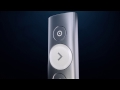
Enjoy focus and instant familiarity with Spotlight’s intuitive three-button interface.
- Pointer: Highlight, magnify, and control the on-screen cursor.
- Next: Navigate forward, and control custom functions gesture volume adjustment.
- Back: Navigate backward, and control custom functions like gesture volume adjustment.
LONG OPERATING RANGE
Move and present freely from as far as 30 meters (100ft)
UNIVERSAL COMPATIBILITY
Use Spotlight on Windows and Mac platforms, and on Powerpoint, Keynote, PDF, Google Slide and Prezi presentations.
DUAL CONNECTIVITY
Plug-and-play Spotlight instantly on any compatible computer via USB receiver, or connect with low energy Bluetooth. Spotlight also keeps your computer connected and awake while you present.
FAST RECHARGING
Use the USB-C charging cable and get 3 hours of presenting after a 1-minute charge, or charge fully in as little as 60 minutes. The device vibrates and the battery indicator glows red when it’s time to recharge.
ADVANCED POINTER SYSTEM
Set your preferred pointer mode within the Logitech Presentation app. Use magnify to visually zoom on areas of focus. Use highlight to activate a circular vignette that leaves the surrounding area in shade.
CUSTOM CONTROLS
Choose from a range of custom controls to suit each presentation. Use the app to configure Spotlight’s back button for blanking the screen, gesture-controlled scrolling, volume adjustment, and more.
SMART TIME MANAGEMENT
Use the app to set an on-screen timer that begins as you click your first slide. You can also configure key timing milestones that send vibration alerts directly to Spotlight so you stay in command until your final slide.